What You'll Need
Source Tech Core pg. 166
To use tactical starship combat in your game, you'll need everything you use for a typical combat encounter, as well as:
- A starship sheet with details about the crew's starship, its customizations, and its statistics.
- A starship map depicting the player starship, such as a Starfinder Flip-Mat, a custom map from an adventure, or a map of your own creation.
- A sensor map that's easily visible to the GM and all players.
- A list of the station actions granted by the battle stations on the player starship.
- Statistics for one or more enemy starships or starship hazards
- Familiarity with the new rules for tactical starship combat, such as new conditions, terms, and traits.
Starship Sheet
Source Tech Core pg. 167
Adventurers who have decided to take to the stars on their own terms need a starship. A starship isn’t only the crew’s primary mode of transportation between planets, but it’s also their home and refuge during long journeys exploring the vast galaxy of Desna’s Path. As the crew levels up, their starship grows more powerful as well. Battle stations on higher-level starships grant additional benefits and might even grant additional upgrade slots. The crew can enhance and rebuild their starship to suit their needs without any extra cost while at a port, allowing them to experiment freely with various battle stations and upgrades. Like any adventurer in the party, the starship has a character sheet describing its capabilities and tracking its upgrades.
A player starship sheet has a similar structure to player character sheets. It lists the starship’s Hull Points, Shield Points, AC, Speed, sensor range, size, traits, and saving throw modifiers. Many of these statistics are derived from the starship frame chosen. The starship’s AC and saving throws can improve when crew members helm certain battle stations on the ship.
The starship sheet lists the number of expansion bays available on the player starship. An expansion bay is a room or deck that can house facilities such as a medical bay or leisure spaces like a holo den, which can facilitate certain downtime activities or give other boons. These facilities are listed on the sheet, along with the benefits they provide. You can find the list of expansion bays.
The starship sheet also lists the starship’s battle stations and other equipment like weapons and upgrades.
You can find a blank starship sheet in the back of this book or on paizo.com as a free PDF. While you might have one player or the GM handle the work of tracking and updating the starship’s statistics, it’s a good idea to keep a copy of the crew’s starship sheet for each player as well as for the GM so everyone knows the most up-to-date statistics, options, and other important information about the ship’s capabilities during tactical starship combat.
A player starship sheet has a similar structure to player character sheets. It lists the starship’s Hull Points, Shield Points, AC, Speed, sensor range, size, traits, and saving throw modifiers. Many of these statistics are derived from the starship frame chosen. The starship’s AC and saving throws can improve when crew members helm certain battle stations on the ship.
The starship sheet lists the number of expansion bays available on the player starship. An expansion bay is a room or deck that can house facilities such as a medical bay or leisure spaces like a holo den, which can facilitate certain downtime activities or give other boons. These facilities are listed on the sheet, along with the benefits they provide. You can find the list of expansion bays.
The starship sheet also lists the starship’s battle stations and other equipment like weapons and upgrades.
You can find a blank starship sheet in the back of this book or on paizo.com as a free PDF. While you might have one player or the GM handle the work of tracking and updating the starship’s statistics, it’s a good idea to keep a copy of the crew’s starship sheet for each player as well as for the GM so everyone knows the most up-to-date statistics, options, and other important information about the ship’s capabilities during tactical starship combat.
Starship Map
Source Tech Core pg. 167
During tactical starship combat, players represent their character's position and movements on board their starship using a battle map with a square grid, the same as any other combat encounter. Most tactical starship encounters occur on board the player starship, but they might also occur on board enemy starships.
Every crew should create a starship map indicating the position of each battle station. Each crew member typically begins starship combat helming a battle station, as determined by their exploration activity. Battle stations enable crew members to affect distant enemies detected by the starship's sensors, but sometimes, enemies board a player starship, or hazards appear on deck to represent malfunctions and other dangers. A map is essential for tracking encounters between the crew and boarding enemies or deck hazards. A player can spend every turn helming one battle station, or they can switch to another battle station during the encounter. Reasons to switch battle stations include needing a new approach against a tough enemy, not having the means to repair your malfunctioning battle station, stepping in for a teammate who goes down, or simply wanting to change things up.
Creatures and hazards might appear on the player starship. During an invasion or malfunction, the crew might choose to leave their battle stations to deal with these threats or ignore the problem until the threat comes to them. If left alone for too long, these threats can cascade into greater problems as invaders wreak havoc in an engine room or a hull breach begins to suck more and more air out from the starship's interior.
The players and the GM need to work together to build a wonderful home for the crew.
Every crew should create a starship map indicating the position of each battle station. Each crew member typically begins starship combat helming a battle station, as determined by their exploration activity. Battle stations enable crew members to affect distant enemies detected by the starship's sensors, but sometimes, enemies board a player starship, or hazards appear on deck to represent malfunctions and other dangers. A map is essential for tracking encounters between the crew and boarding enemies or deck hazards. A player can spend every turn helming one battle station, or they can switch to another battle station during the encounter. Reasons to switch battle stations include needing a new approach against a tough enemy, not having the means to repair your malfunctioning battle station, stepping in for a teammate who goes down, or simply wanting to change things up.
Creatures and hazards might appear on the player starship. During an invasion or malfunction, the crew might choose to leave their battle stations to deal with these threats or ignore the problem until the threat comes to them. If left alone for too long, these threats can cascade into greater problems as invaders wreak havoc in an engine room or a hull breach begins to suck more and more air out from the starship's interior.
The players and the GM need to work together to build a wonderful home for the crew.
Sensor Map
Source Tech Core pg. 168
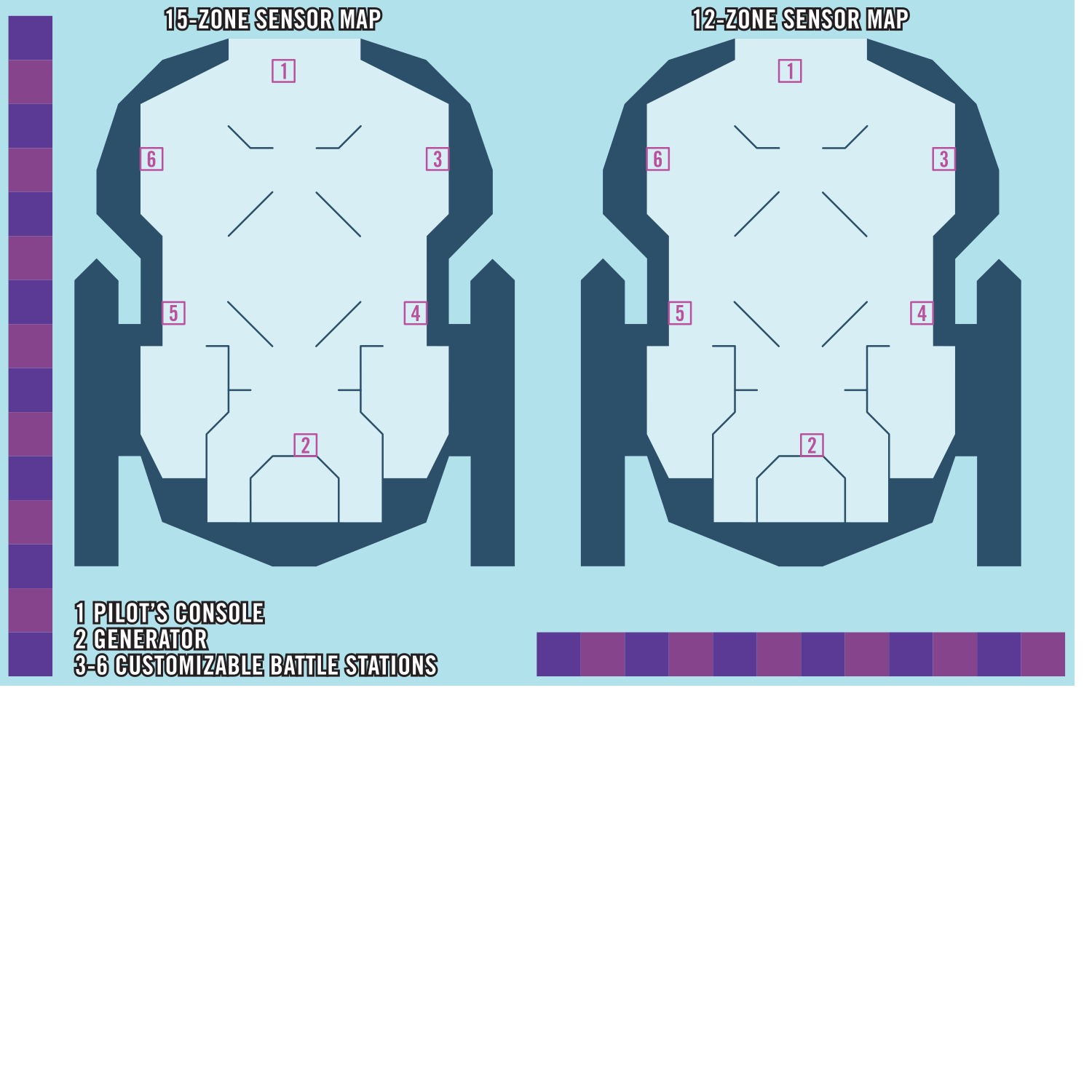
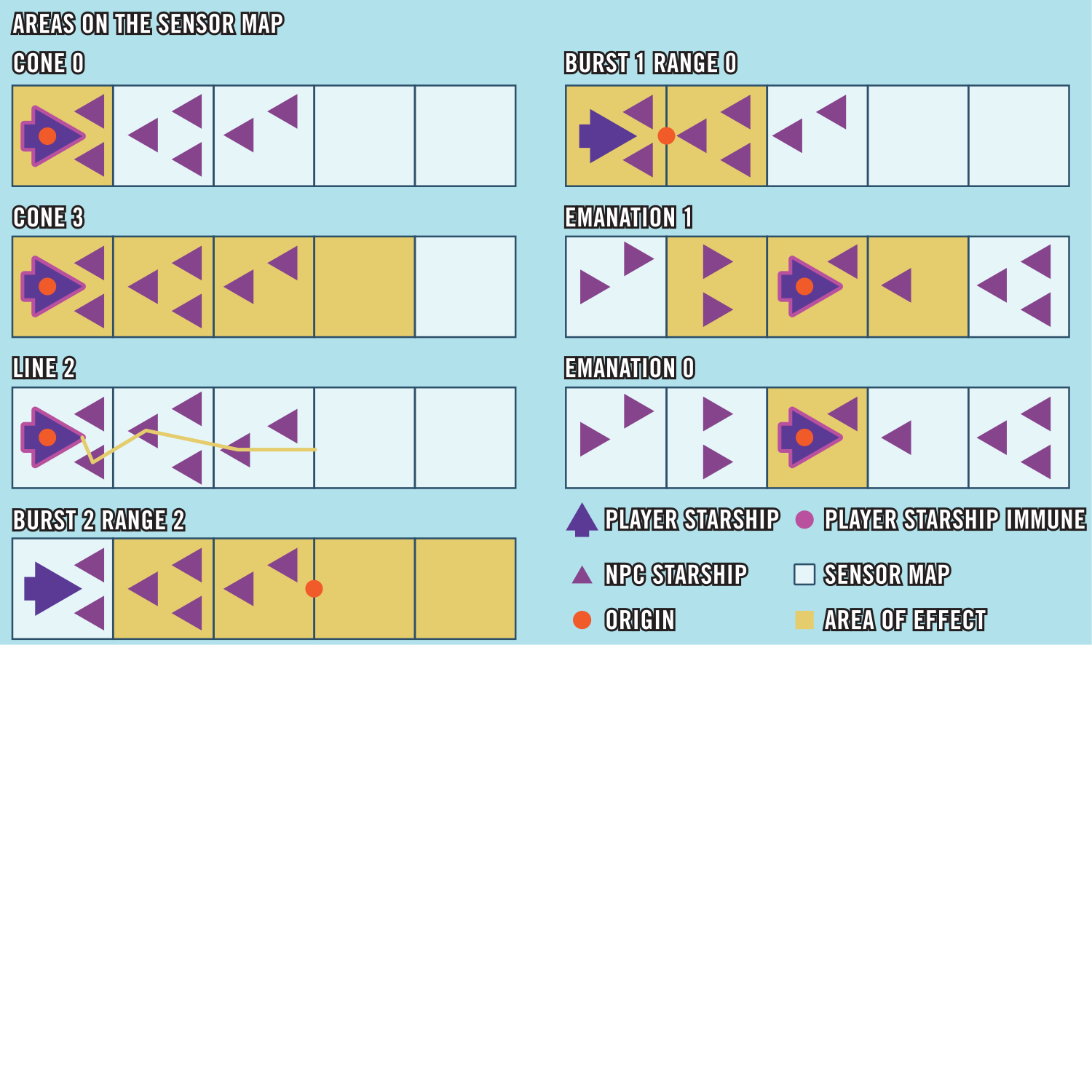
The sensor map is a map that represents the vast region of space in which an epic starship battles take place. It's separate from the map used to represent PC movement and positions on board their starship. Place the sensor map where it's visible to the GM and all players, near the map for the starship itself, so the GM and the players can see both simultaneously. The sensor map is divided into zones, which is the unit of measurement for starship abilities.
The sensor map is used to track the positions of starships and starship hazards during a tactical starship encounter.
The sensor map is used to track the positions of starships and starship hazards during a tactical starship encounter.
Tech Gear
Source Tech Core pg. 122
Many useful technological innovations, from medical items to security devices to helpful minibots, fall under the broad category of “tech gear.”
Locks
Source Tech Core pg. 123
These locks come in two varieties: physical and virtual. The physical versions are full systems that can be dismantled with successful Thievery checks or hacked using the Computers skill. Virtual locks, meanwhile, are apps installed on technological devices, such as computers and comm units. Virtual locks gain the virtual trait and cannot be dismantled with the Thievery skill, only hacked using Computers.
Minibots
Source Tech Core pg. 127
Minibots are tiny consumer constructs designed to perform specialized tasks. Their relative ease of use makes their adoption widespread across the galaxy, as they're arguably easier to use than a simple comm unit. Their cross-platform compatibility and affordability makes them popular with technology enthusiasts, who frequently upgrade and mod them to suit their personal needs. Minibots use a combination of voice registration and RFID tags, often integrated into accessories worn by their owner. They don't activate if the owner has another minibot to prevent them from crashing into one another while attempting to obey the same command at the same time. Each minibot has statistics, with additional abilities determined by the chosen type. Most minibots expend 1 battery charge every 10 minutes while activated. While all minibots include a commercial battery, it can be replaced with a new battery, even if it's a higher grade than the minibot.
Activate Minibot [two-actions] (auditory, manipulate) Requirements You have no other active minibots; Effect You touch a minibot with an RFID tag and say its registered name as it whirls to life. Once activated, a minibot has the minion trait. It obeys you to the best of its ability when you use an action to Command it. You must be within 60 feet to verbally command a minibot.
Activate Minibot [two-actions] (auditory, manipulate) Requirements You have no other active minibots; Effect You touch a minibot with an RFID tag and say its registered name as it whirls to life. Once activated, a minibot has the minion trait. It obeys you to the best of its ability when you use an action to Command it. You must be within 60 feet to verbally command a minibot.
Battle Stations
Source Tech Core pg. 168
A battle station is a part of a starship that allows crew members to tackle starship-scale threats. When a creature helms a battle station, they gain access to station actions. For example, a pilot's console grants the Boost Thrusters station action, allowing the creature helming it to move the starship in the direction of its current heading. A starship's frame determines the default battle stations, the upgrades that come installed in the default battle stations, and open battle station slots available for customization. The party can change the battle stations that are in the customizable slots during Repair Starship downtime activities. Additionally, as starships level up, battle stations gain additional slots for upgrades that can be filled to customize and personalize them. The battle stations and their upgrades are recorded on the starship sheet. The locations of the battle stations are marked on the starship map. If you mark the position of the battle stations with numbers or similar symbols, you can use the same mark on your battle station entry in your starship sheet.
A battle station can be enhanced similar to any other equipment and gains benefits depending on its grade, including the ability to equip it with station upgrades. These upgrades often grant additional abilities beyond the basic functions of a battle station. With access to many types of battle stations and station upgrades, a party of adventurers can customize their ship to their liking, making the starship into something that's especially suited to their capabilities.
Many station actions are similar to actions a character can use in combat; for example, you can Strike using the weapons in your starship's gunnery, firing its weapons against targets within range. Many character abilities interact with battle station actions; as a new example, an operative can use the Aim action to pierce cover from an asteroid and add precision damage to their gunnery Strikes against their mark. In such cases, these actions can be used in tactical starship combat the same way they can be used in regular combat. In this example, the operative can Aim a gunnery station's weapons to enhance their damage against that target, but Aim otherwise functions as usual. Or, if the gunnery has an automatic weapon equipped, a soldier can use their primary target ability to make an additional Strike against their primary target when they Auto-Fire with the gunnery.
Most station actions require a creature to helm a battle station, meaning the creature is in the battle station's square, usually an apparatus or console, and is using it.
A battle station can be enhanced similar to any other equipment and gains benefits depending on its grade, including the ability to equip it with station upgrades. These upgrades often grant additional abilities beyond the basic functions of a battle station. With access to many types of battle stations and station upgrades, a party of adventurers can customize their ship to their liking, making the starship into something that's especially suited to their capabilities.
Many station actions are similar to actions a character can use in combat; for example, you can Strike using the weapons in your starship's gunnery, firing its weapons against targets within range. Many character abilities interact with battle station actions; as a new example, an operative can use the Aim action to pierce cover from an asteroid and add precision damage to their gunnery Strikes against their mark. In such cases, these actions can be used in tactical starship combat the same way they can be used in regular combat. In this example, the operative can Aim a gunnery station's weapons to enhance their damage against that target, but Aim otherwise functions as usual. Or, if the gunnery has an automatic weapon equipped, a soldier can use their primary target ability to make an additional Strike against their primary target when they Auto-Fire with the gunnery.
Most station actions require a creature to helm a battle station, meaning the creature is in the battle station's square, usually an apparatus or console, and is using it.
Enemy Starships And Hazards
Source Tech Core pg. 169
The last thing you'll need for tactical starship combat—and certainly one of the most important considerations—is one or more enemy starships, starship hazards, or other threats. Many examples of such threats can be found here, and GM guidelines for building starship encounters can be found here.
Some tactical starship combat encounters involve creatures or hazards that appear on board the crew's starship while they're fighting enemies on their sensor map. GMs can find plenty of monsters and NPCs in Alien Core, published adventures, and other Starfinder books or create their own using the guidelines in GM Core. Some of the hazards appear on the starship map rather than the sensor map and affect characters directly. Many hazards presented in GM Core work well in starship combat.
Some tactical starship combat encounters involve creatures or hazards that appear on board the crew's starship while they're fighting enemies on their sensor map. GMs can find plenty of monsters and NPCs in Alien Core, published adventures, and other Starfinder books or create their own using the guidelines in GM Core. Some of the hazards appear on the starship map rather than the sensor map and affect characters directly. Many hazards presented in GM Core work well in starship combat.